
Guide
Best Website Options For Yoga Teachers (Do You Even Need One?)
From booking pages to WordPress: the honest guide to getting your yoga teacher website sorted. Find the right option for where you are — and when to upgrade.
Most guides about yoga teacher websites start with the same question: Squarespace or Wix?
That’s the wrong question. Before you compare website builders, there’s a more important one to answer: do you actually need a website at all?
For some yoga teachers, the answer is yes. For most starting out, the answer is not yet — and building a website before you need one is a real way to spend time and money on the wrong thing.
This guide covers all four options for getting your yoga instructor website sorted: no website (and why that’s legitimate), a dedicated booking page, a DIY website builder, and a full custom build. We’ll help you match the right option to where your business actually is — not where you want it to be eventually.
Do Yoga Teachers Actually Need a Website?
It depends on what you need your online presence to do. Three scenarios:
-
Probably not yet. You’re running a few weekly classes, clients find you through word of mouth or Instagram, and local referrals keep you full. A booking page + Google Business Profile + Instagram covers this. No monthly website cost, no build time, and your class schedule stays live and bookable without lifting a finger.
-
Something simple. Your business is growing and you want a proper online home — somewhere with your schedule, prices, bio, and a booking button, all in one place. A booking page handles most of this, or a simple one-pager if you want more control over design.
-
A proper site. You’re running multiple revenue streams (classes, workshops, retreats, online courses), building for long-term SEO, or want a home for regular written content. A full website earns its keep here.
Most solo teachers starting out are in scenario one. The instinct to build a website early is understandable, but it often delays the more important work: filling your classes.
The Four Website Options for Yoga Teachers
Not every option suits every teacher — the right choice depends on where your business is right now and what you actually need your online presence to do. Here’s an honest breakdown of all four.
Option 1 — No Website: Booking Page + Social Media
What it is: Your public booking page acts as your online home. Add it to your Instagram bio, WhatsApp status, Google Business Profile, and email signature. Every class is live and bookable from the same link.
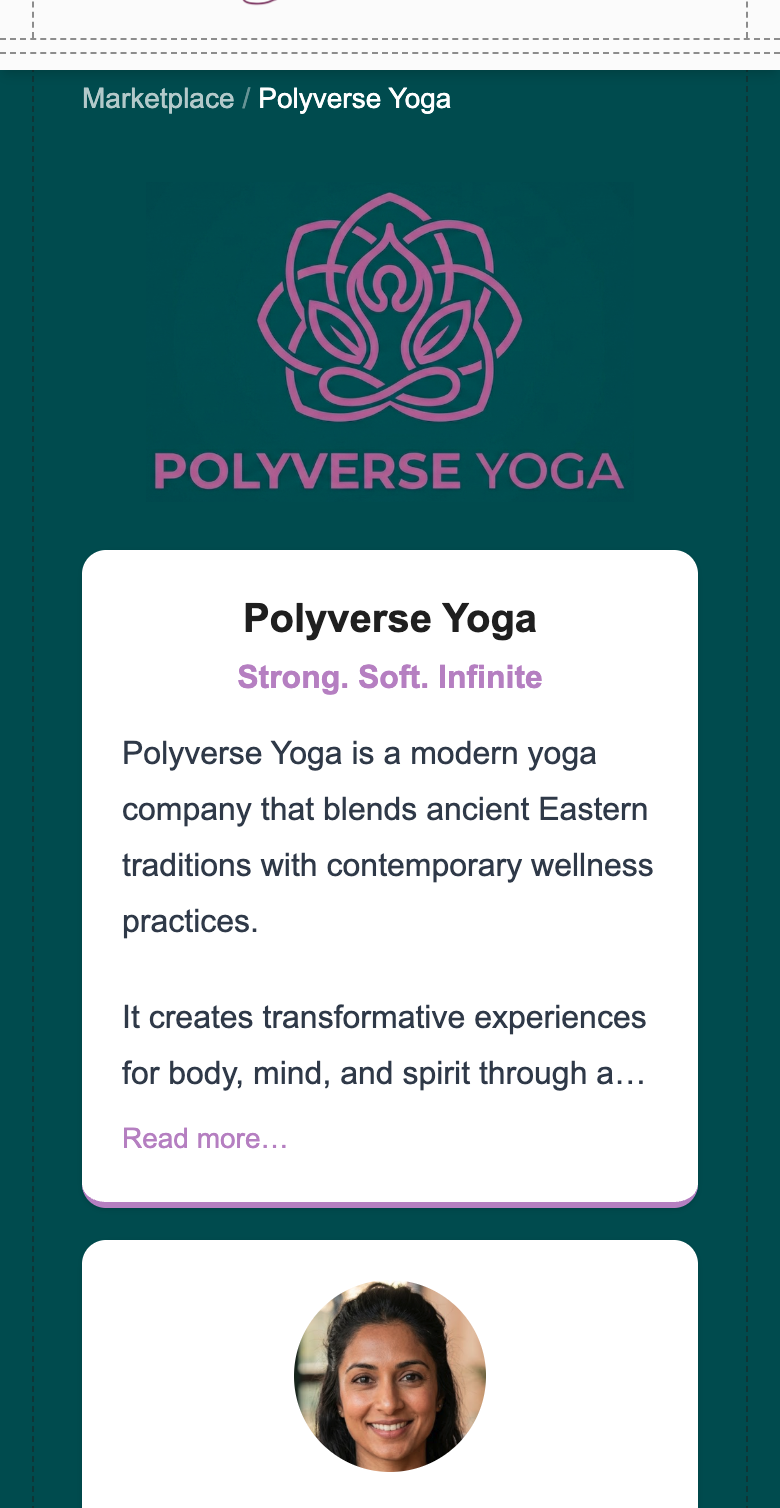
With Woven, your public page lives at thankswoven.com/marketplace/[your-slug]. It’s live the moment you publish your first class — no build, no template, no design decisions.
What you get:
- Branded profile with your logo, bio, and business colours
- Live class schedule with spaces remaining and a Book Now link on every class
- Stripe-powered payment at checkout — no separate payment tool needed
- Locations with Google Maps ratings
- A FAQ section your clients can read before they book
- LocalBusiness schema markup — so Google understands your page
Cost: Woven’s 1.5% transaction fee plus Stripe processing. No monthly platform fee.
Pair it with: Google Business Profile for local search discovery. Instagram and Facebook for content and social proof. Those two, combined with a live booking page, cover everything most solo teachers actually need. You can read more about setting up your Woven business profile, how online booking works for your clients, or follow the step-by-step guide to setting up online booking for your yoga classes.
Right for: Teachers starting out, or established teachers who fill classes via word of mouth and social referral.
Not right for: Teachers who want to write regular blog content, sell digital products, or rank for search terms beyond their local area.
Option 2 — Simple DIY: Squarespace or Wix
What it is: A template-based website builder. You pick a yoga template, add your own copy and images, and publish. Good for multi-page sites with About, Contact, and Workshop sections.
Cost:
- Squarespace: £12/mo (Basic) or £17/mo (Core) billed annually. Core removes transaction fees and unlocks full CSS/JS customisation. Most yoga website templates work across both tiers.
- Wix: £9/mo (Light) or £16/mo (Core) billed annually. Core plan recommended for small businesses with e-commerce needs.
- Plus a separate booking tool if you want live class scheduling and payment — both Squarespace (via Acuity) and Wix (via Wix Fit) have options, or you can embed Woven booking links directly on your pages.
Setup: Expect a weekend minimum if you’re comfortable with design tools. Plan for a few evenings if you’re learning as you go.
Right for: Teachers who want a multi-page site with an About page, a blog, workshop listings, and a Contact form — and have the time to build it properly.
Not right for: Teachers who want their class schedule to update automatically. On a static site, you’ll be editing your schedule manually every time something changes. That overhead compounds quickly.
Option 3 — WordPress
What it is: An open-source CMS with full control over design, functionality, and SEO. Thousands of plugins cover booking, payment, and content management. The most powerful DIY option — and the most demanding.
Cost: Hosting (£5–15/mo), domain (£10–20/year), theme (£50–200 one-off), plus developer time if you need it.
Setup: Days to weeks for the initial build. Ongoing maintenance — plugin updates, security patches, backups — is a real time commitment.
Right for: Teachers who are technically confident, willing to invest in learning, or prepared to pay a developer. Ideal if you’re building for long-term SEO with regular written content.
Not right for: Teachers who want a simple setup and zero maintenance. WordPress is powerful, but it’s also a system that needs tending.
Option 4 — Custom / Agency Build
What it is: A bespoke website designed and built by a web agency or freelance designer. Full creative control, built to brief, no compromises on design or functionality.
Cost: £1,500–5,000+ upfront. Changes after handover typically require a developer.
Right for: Established studios with a distinctive brand, specific functional requirements, and budget to match.
Not right for: Solo freelance teachers in their first one or two years. The investment makes sense when your business justifies it — not before.
What Your Online Presence Actually Needs to Do
Regardless of which option you choose, your online presence needs to tick these boxes:
- Live class schedule — not a static list you update manually
- Online booking — not “email me to reserve a spot”
- Payment at checkout — or a direct link to pay before the class
- Mobile-ready — most clients browse on their phones, not desktops
- Social proof — reviews, testimonials, or client photos
- Your story — who you are, what your classes feel like, what makes you different
The simpler your setup, the more important it is that these basics are solid. A booking page that gets people booked is always better than a beautiful website that’s still “coming soon.”

Which Yoga Instructor Website Option Is Right for You?
Decision Framework
| Where you are | Best option |
|---|---|
| Just starting out, word-of-mouth clients | Booking page (Woven) |
| Growing, want a professional presence | Booking page or simple DIY |
| Running workshops, want a blog | Squarespace or Wix |
| Building long-term SEO and content | WordPress |
| Established studio, strong brand, budget | Custom / agency build |
Woven’s public page isn’t a website builder. It’s a live booking page that looks like your brand and updates automatically when you change anything in admin. For most yoga teachers starting out, that’s exactly what they need — and it costs nothing beyond the transaction fee.
If you’re considering how to manage your yoga business online beyond just bookings, Woven’s public page is the foundation — everything else builds on top of it.
Your Woven public page is ready the moment you set up your profile. Get started free →
When to Upgrade Your Yoga Teacher Website
Signs you’ve outgrown a booking page and need something more:
- You’re writing regular content (tutorials, guides, blog posts) and need a home for it
- You’re selling digital products, course recordings, or memberships
- You want full control over your SEO and URL structure
- You’re running a studio with multiple teachers and need distinct sub-pages
- Your brand is strong enough that cookie-cutter templates no longer fit
None of these apply to most yoga teachers in year one. When they do apply, the upgrade is worth it — and the audience you’ve built via Woven gives you something to migrate. For a broader look at the software side of running a yoga business, see our compare page for yoga studio software.
Tips for Getting Your Yoga Business Online
-
Get a Google Business Profile first. It’s free, takes 15 minutes, and puts you on Google Maps for local searches. The best single thing you can do for local SEO — regardless of which website option you choose.
-
Put your booking link everywhere. Instagram bio, Facebook page, WhatsApp status, Google Business Profile, email signature. One link, in every place your clients might look.
-
Keep your class schedule accurate. Outdated class information drives clients away fast. A live schedule — one that updates automatically when you change something in admin — removes that risk entirely.
-
Don’t build a website before you have clients. A booking page that fills your classes is worth more than a beautiful website that nobody has found yet. Build the website when your business justifies the investment.