Feature
Be Found and Bookable — Without Building a Small Business Website
Skip the website builder. Your Woven public page gives your small business brand, classes, locations, and booking online — and updates automatically.
Why Sole Traders and Small Businesses Get Trapped Building Websites
Small business owners are told they need a website. So they spend a weekend on Squarespace, pay £16–43 a month, and then have to manually update their schedule every time a class changes, a location moves, or a price shifts.
For businesses where the product is the service — personal trainers, coaches, therapists, tutors, instructors — the overhead doesn’t match the need:
- Class schedules need editing manually every time something changes
- Booking doesn’t connect to the website — separate tools, separate subscriptions, separate logins
- A website that looks good at launch looks stale six months later — nobody updates it consistently
- Time spent managing web pages is time not spent with clients
Your Woven public page is a different kind of answer. It handles your online presence the way your admin handles your bookings — you change something once, everything follows.
What Your Business Page Includes
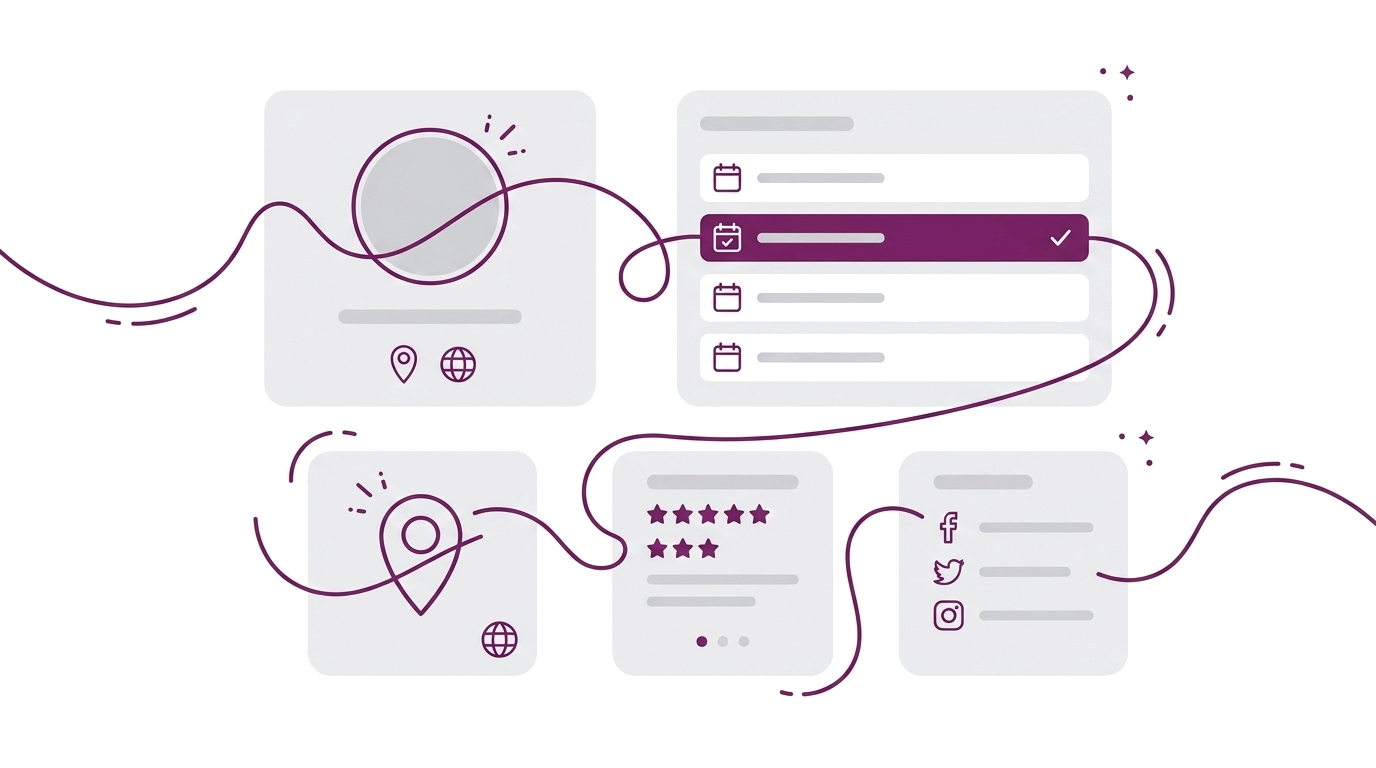
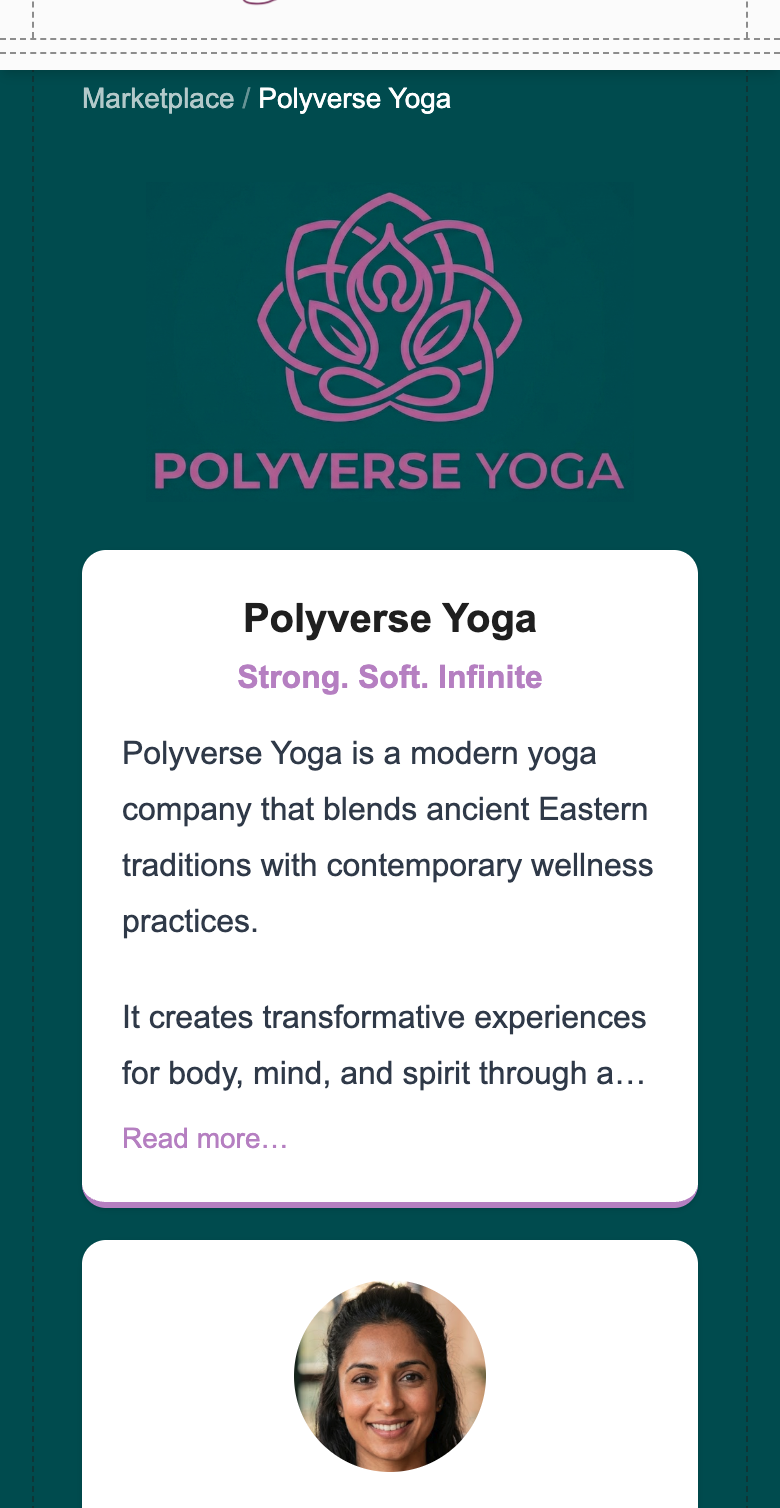
Your public page is a complete business presence: brand, classes, locations, FAQs, and booking — all in one place. Here’s what clients see when they visit.
Your brand Your logo, business name, and tagline sit at the top. Below that, your business description — expanded or collapsed depending on how much you’ve written. The page uses your brand colours throughout: primary accent on buttons, headings, and tags; your background colour on the page body. Change either colour in your admin, and the whole page updates.
Your story Your name, title, photo, bio, and qualifications appear on your page. Clients book people, not platforms — this is where you introduce yourself. A clear headshot and a first-person bio make a real difference.
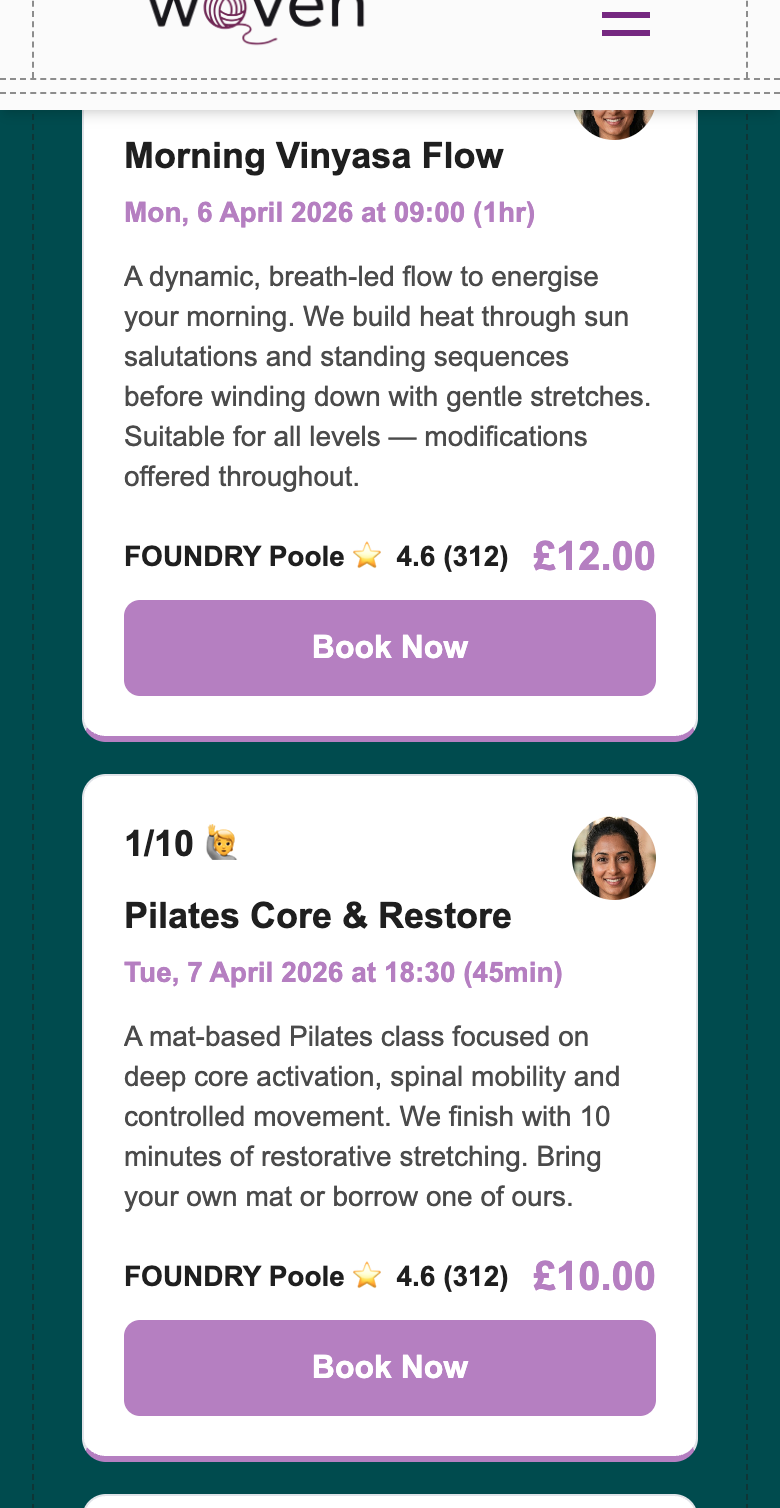
Your classes Upcoming classes are listed in date order, two per row on desktop. Each card shows the class name, date, time, duration, instructor, location with Google rating, price, and live spaces remaining — so clients know exactly what they’re booking before they tap.
Only public classes appear here. Classes you’ve set to Private are hidden from this page — they remain bookable, but only via their direct link. You control discoverability per class.
Virtual classes show a ”💻 Virtual” label in place of a location address. The meeting link itself isn’t shown here — clients receive it after completing their booking.
Your locations Each location shows the venue name, formatted address, a link to Google Maps, and the Google star rating with review count. Add a location once in your admin, and it appears automatically on every relevant class card.
Your FAQs A curated Q&A your clients actually need before booking. FAQs reduce the “is this right for me?” hesitation that stops people from following through. Add, edit, reorder, and delete FAQs from your admin at any time.
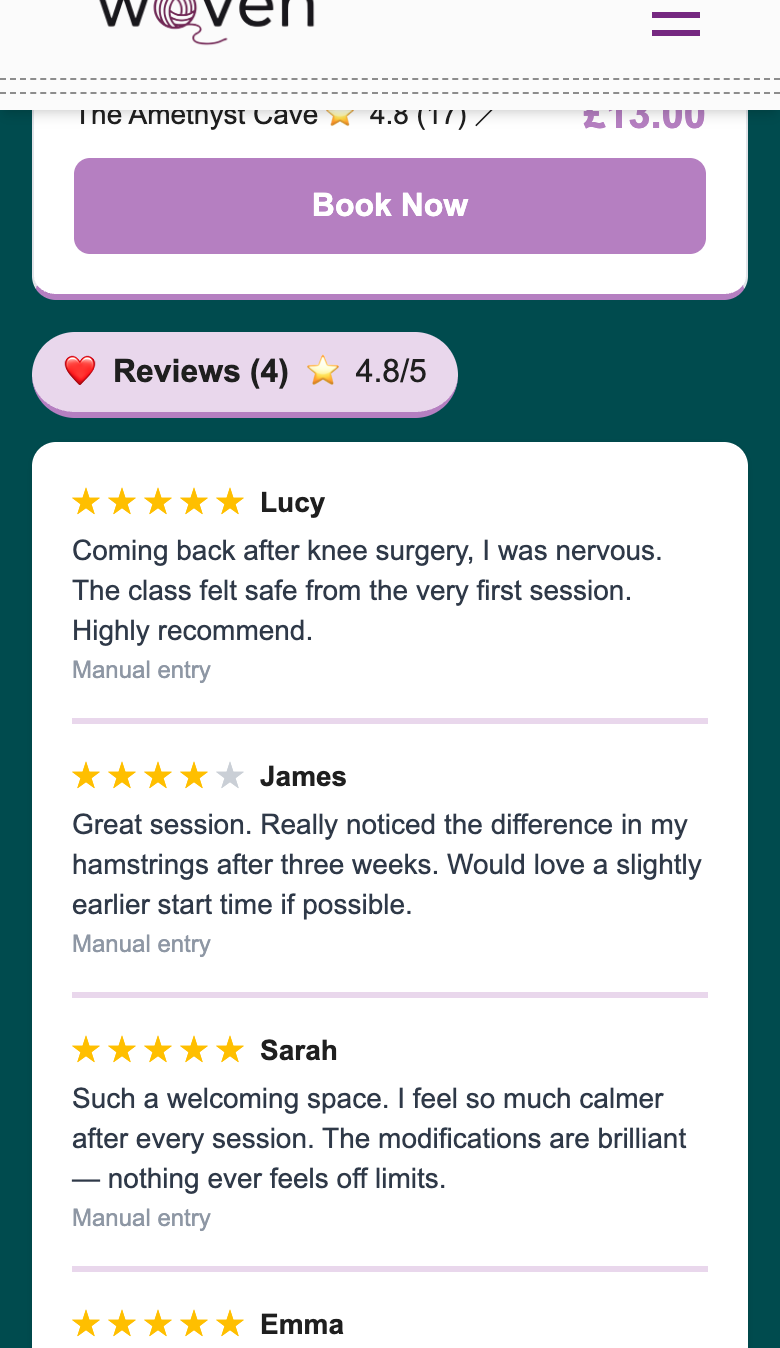
Your reviews Star ratings and feedback from real clients — social proof that builds automatically from genuine session feedback. Each review shows the client’s first name, star rating, and any text they left. An average rating and review count appear at the top of the section.
Reviews come from two sources: clients who click a unique post-class link sent via WhatsApp, and manual entries you add yourself from Google reviews, Instagram comments, or verbal feedback. Both appear in the same section — tagged with their source so the distinction is clear to you but not to visitors.
The reviews section is only visible when you have at least one published review — it doesn’t show as an empty placeholder.
How to set up your business profile →
A Small Business Website That Updates Itself
The real difference between a Woven public page and a website you built: you don’t maintain it.
Add a class in your admin — it appears on your page with live availability. Change a price — the card updates. Edit your bio — it’s reflected. Update your brand colour — the entire page follows, because the colour is applied once and inherited everywhere.
Your page reflects your latest changes without any separate publishing step. No deploying, no waiting on a developer, no remembering which page has the old schedule.
Your public page URL is thankswoven.com/marketplace/[your-slug]. Share it in your Instagram bio, WhatsApp status, Google Business Profile, or email signature. Every class also has its own shareable link — so you can send a specific session directly to a client without asking them to hunt through your schedule.
Everything Your Clients Need — One Page, No App
Your clients don’t need to download anything or create an account. They arrive on your page, see who you are, browse your classes, check availability, and book — all in one flow.
The client journey:
- Arrive on your public page via a link you shared
- See your brand, photo, and bio — know who they’re booking with
- Browse upcoming classes — date, time, location, price, spaces left
- Tap Book Now on the class they want
- Pay through Stripe — card details, confirmation in seconds
- Receive a WhatsApp confirmation with the booking details
Booking links are individual per class, so you can share exactly the session you want to fill. Location cards link directly to Google Maps. Class descriptions expand if there’s more to read. Mobile-first layout: the page stacks cleanly on any screen size.
How online booking works for your clients →
Your Public Page vs Building a Small Business Website
| Woven public page | Squarespace / Wix | |
|---|---|---|
| Monthly cost | 🎉 No fixed monthly cost | £16–43/mo + separate booking tool |
| Setup time | Fill in your profile, your page exists | Hours to days of building |
| Keeping it current | Automatic — classes, prices, bio update from admin | Manual — every change requires editing the site |
| Booking integration | Built in — every class card has a Book Now button | Separate tool needed (Calendly, Acuity, etc.) |
| Brand control | Logo, colours, tagline — change once, applied everywhere | Full flexibility — you’re the designer and the maintenance team |
| Locations + maps | Google Places integration, ratings included | Manual, no live data |
If you need a blog, e-commerce shop, or complex multi-page site, a website builder is the right tool. If you need to be found and bookable — with a page that always reflects what you’re actually offering — your Woven public page does that without the overhead.
🎉 The Cost of Your Woven Page Versus a Small Business Website
No separate website subscription. No monthly fee.
Woven charges per booking transaction, not per feature. Your public page, class listings, brand customisation, FAQs, and locations are all included in Woven. No subscription stacking. No separate line items for “website” and “booking.”
Compare that to the alternative: a website builder starts at £16–43/month, and you’d still need a separate booking tool on top. Woven handles both in one platform, for the one fee you only pay when clients actually book.
Tips for Getting the Most from Your Public Page
- Upload a clear headshot. Pages with a photo feel personal. Clients are more likely to book when they can see who they’re booking with.
- Write your bio in first person. “I teach” reads better than “She teaches” — it’s your page, speak directly.
- Set your brand colours to match your existing identity. If you have a colour on your Instagram or business cards, use it. Consistency builds recognition.
- Add your FAQs before you share the page. Every question answered on your page is one fewer message you have to handle individually.
- Use your per-class shareable links. Don’t just share your main page URL — drop the specific class link into WhatsApp when you want to fill a session. Clients land on exactly what you want them to book.
Related:
Get your page live today — get started with Woven.