
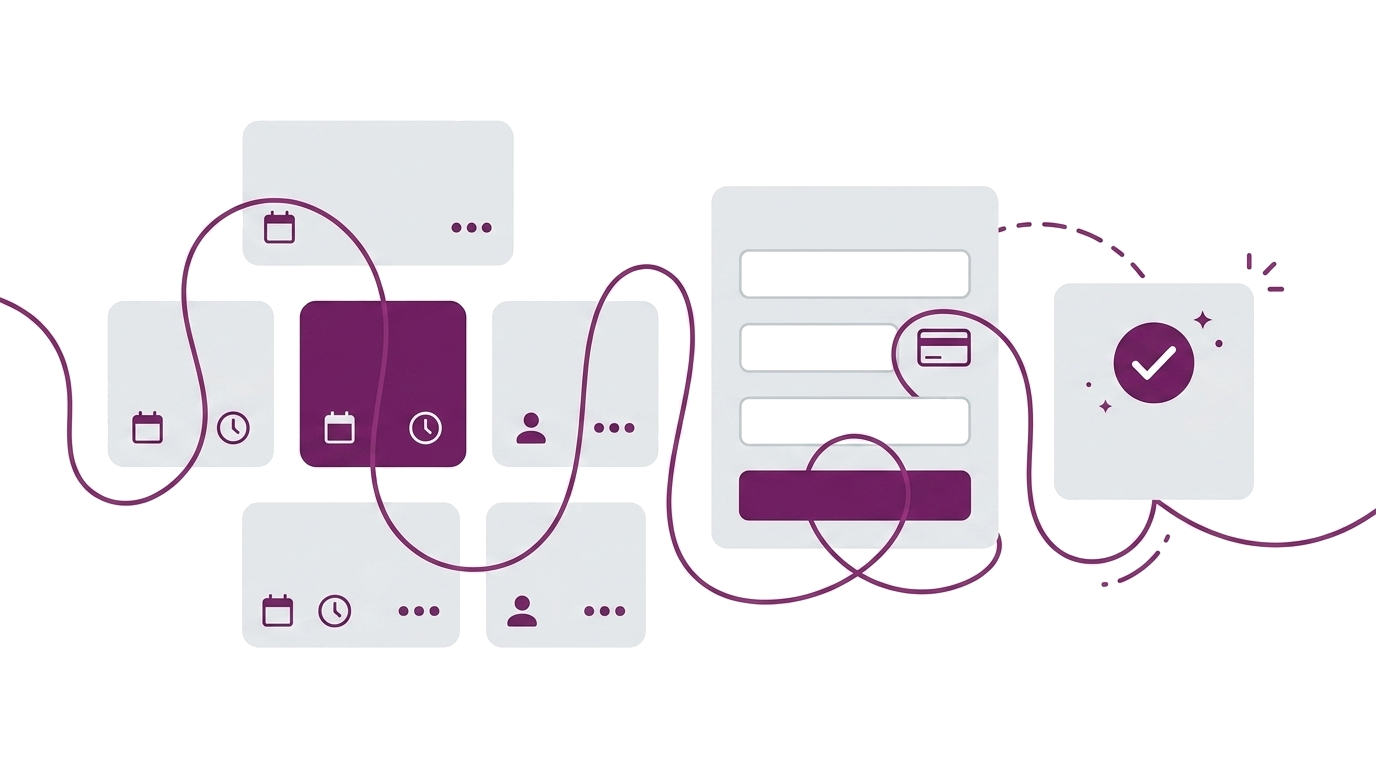
Feature
Your Clients Book and Pay in Under a Minute — Online Booking for Small Businesses
Online booking system for small businesses — Stripe payments, WhatsApp confirmations, attendance tracking. Clients book and pay in under a minute.
Why Small Businesses Need an Online Booking System
If you’re running a small business without an online booking system, the admin piles up fast:
- Clients don’t sign up — or they say they will and never follow through, because there’s no simple way to commit
- You don’t know who’s paid — cash in hand, bank transfers you haven’t checked, payment requests you forgot to send
- Reminders are manual — you’re texting people the night before, hoping they see it, chasing the ones who don’t reply
- There’s no data — no attendance history, no pattern of who’s drifting, no insight into which classes fill and which don’t
- You can’t grow what you can’t see — without records, you’re guessing which clients would benefit from your other sessions, your new workshop, your next course
An online booking system brings all of this together. Bookings, payments, reminders, attendance, client records — handled automatically so you can focus on your work while the platform focuses on making the most of your relationship with your clients.
That’s what Woven does. Your clients book and pay in under a minute. You see it on your dashboard. They get a WhatsApp confirmation. No app downloads, no account creation, no back-and-forth — a booking system for small businesses that runs quietly in the background.
How Online Booking Works for Your Clients
From your client’s side, booking a class is three steps:
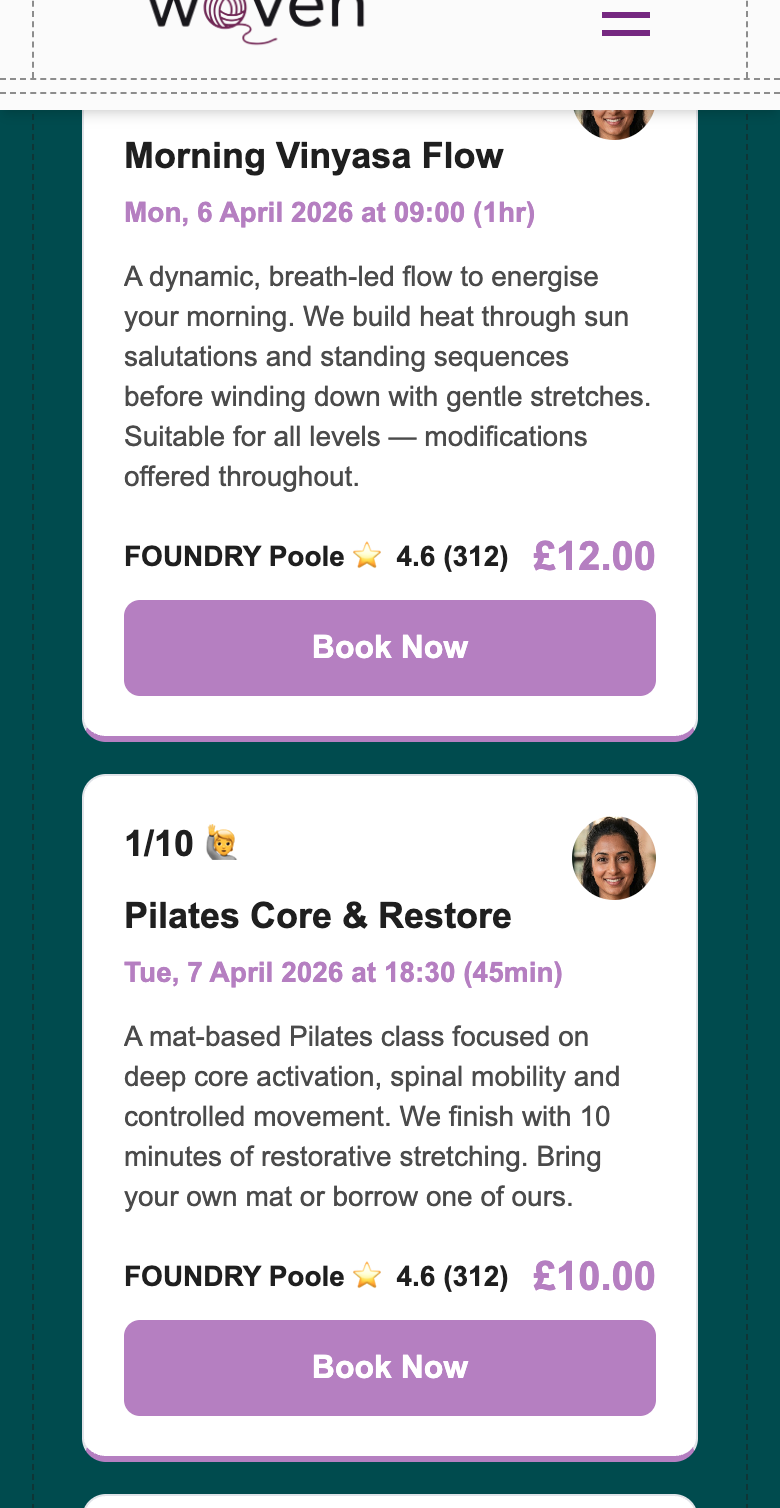
- Tap the link — each class has its own shareable URL that previews properly on WhatsApp, iMessage, and social media. Your client sees the class details at a glance: name, date, time, duration, location, price, and spaces remaining. Virtual classes show a ”💻 Virtual” label — the meeting link is not visible before booking.
- Enter their details — just a first name and phone number. No account to create, no app to download, no password to remember.
- Pay by card — secure Stripe checkout. Once payment completes, they’re confirmed instantly.
For virtual classes: the meeting link appears on the booking confirmation page — but only after payment. Before they’ve paid, clients see ”💻 Virtual” as a plain label with no accessible link. The paywall protection is automatic; you don’t configure anything differently. Works with Zoom, Google Meet, Teams, or any other video platform.
That’s it. A WhatsApp message lands on their phone with the class name, date, time, and location. The whole thing takes under a minute.
The first time a client books through Woven, a client record is created automatically using their phone number as the identifier. You don’t add them manually — they appear in your client list the moment they book. Everything from that point — attendance, booking history, payment records — builds on that first interaction.
If a class is full, clients see it immediately and get redirected to your public page to see what else is available. No ghost bookings, no awkward follow-up messages asking someone to find a different session.
How your clients experience booking →
Class Booking Software That Runs Itself
Creating a class takes about a minute. Fill in what you need and save it as a draft:
- Class name — what clients see on your public page (e.g. “Morning HIIT”, “Beginners Pilates”, “Wednesday Coaching Session”)
- Date and time — when the class starts
- Capacity — maximum number of bookings
- Price — set in pounds, or £0 for free sessions
- Location — select from your saved venues or add a new one
- Duration and description — optional, shown on the class card
New classes don’t go live until you publish them. The draft-and-preview flow means you can check how a class looks before clients can see it. Approve it when it’s ready — until then it’s invisible.
Once published, your class appears on your public page in date order, with the capacity counter live from the moment bookings open. Woven tracks booked versus available automatically — you can’t oversell a class, and you can’t accidentally reduce capacity below what’s already been booked.
Each class has its own shareable URL from the moment it’s published. Drop it directly into a WhatsApp group, an email, or your Instagram bio. Clients land exactly where you want them — on that specific class, ready to book, not on a page they need to navigate.
Location management works across multiple venues from day one. Saved locations are reusable across classes with Google Places integration for address lookups. Whether you work from a studio, a community hall, or a client’s home, all your venues are in your location list. Your admin view lets you filter classes by location and date range so you can see what’s coming up where, across all your venues at once.
How to create and manage classes →
A Booking and Payment System in One
No separate payment setup, no third-party tool to connect. Woven uses Stripe Checkout — your clients pay by card in a secure, familiar flow. The checkout page shows the class name, date, time, location, and your business logo. It looks professional without you designing anything.
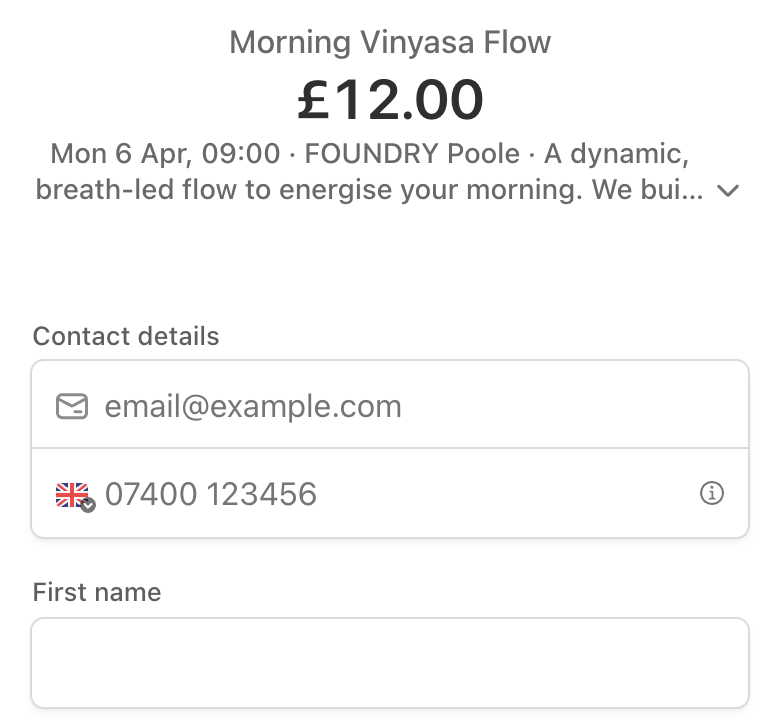
Set the price when you create a class. Free sessions are £0. Woven handles everything else — payment confirmation, booking status update, and automatically moving the booking to confirmed once payment lands.
If a client needs a different price — a concession rate, a returning-client discount, a gift booking — you can edit the price for that individual booking before sending a payment link. The custom price applies to that one booking only, without touching your default class price.
Payment links expire after 24 hours (Stripe’s limit for checkout sessions). If you change a class price while a payment link is already active, the existing link is invalidated immediately — you regenerate it with the correct price before sharing it again. One click, new link.
Payment statuses track through the full lifecycle — you see exactly where every booking stands at a glance:
| Status | What It Means |
|---|---|
| ⏳ Awaiting Payment | Booking created, payment expected |
| ✅ Paid | Payment collected (Stripe or manual) |
| 💰 Awaiting Refund | Payment received, refund in progress |
| ↩️ Refunded | Refund issued |
| 🚫 Void | Booking cancelled or invalidated |
Taking payments for classes with Woven →
WhatsApp Confirmations and Reminders
When a client’s booking is confirmed, they get a WhatsApp message — class name, date, time, location. Before the class, they get a reminder. No emails sitting in a spam folder. No manual messages to compose and send.
This is the part most booking systems don’t do:
| Email (competitors) | WhatsApp (Woven) | |
|---|---|---|
| Open rate | ~20% | ~98% |
| Where it lands | Inbox (or spam) | The conversation thread they already have open |
| Client action needed | Check email, find the message | None — it finds them |
| Reminder delivery | Often ignored | Read almost immediately |
The difference isn’t marginal. Your confirmation and reminder land in the app your clients already live in, alongside their actual conversations. It doesn’t require them to check anything.
For you, it means fewer no-shows without any extra effort. The reminder goes out automatically. You don’t need to remember to chase anyone.
Attendance Tracking That Spots Patterns
After each class, you record attendance directly from the attendee list. The statuses go beyond a simple attended/no-show:
- ✅ Attended — showed up on time
- ⏰ Attended (Late) — showed up after the session started
- 📱 No Show (Notified Me) — didn’t come, but let you know in advance
- 🤒 No Show (Unwell) — didn’t come due to illness
- ❌ No Show (No Contact) — didn’t come, no message
The reason matters — it’s the difference between a client who communicated and one who quietly disappeared.
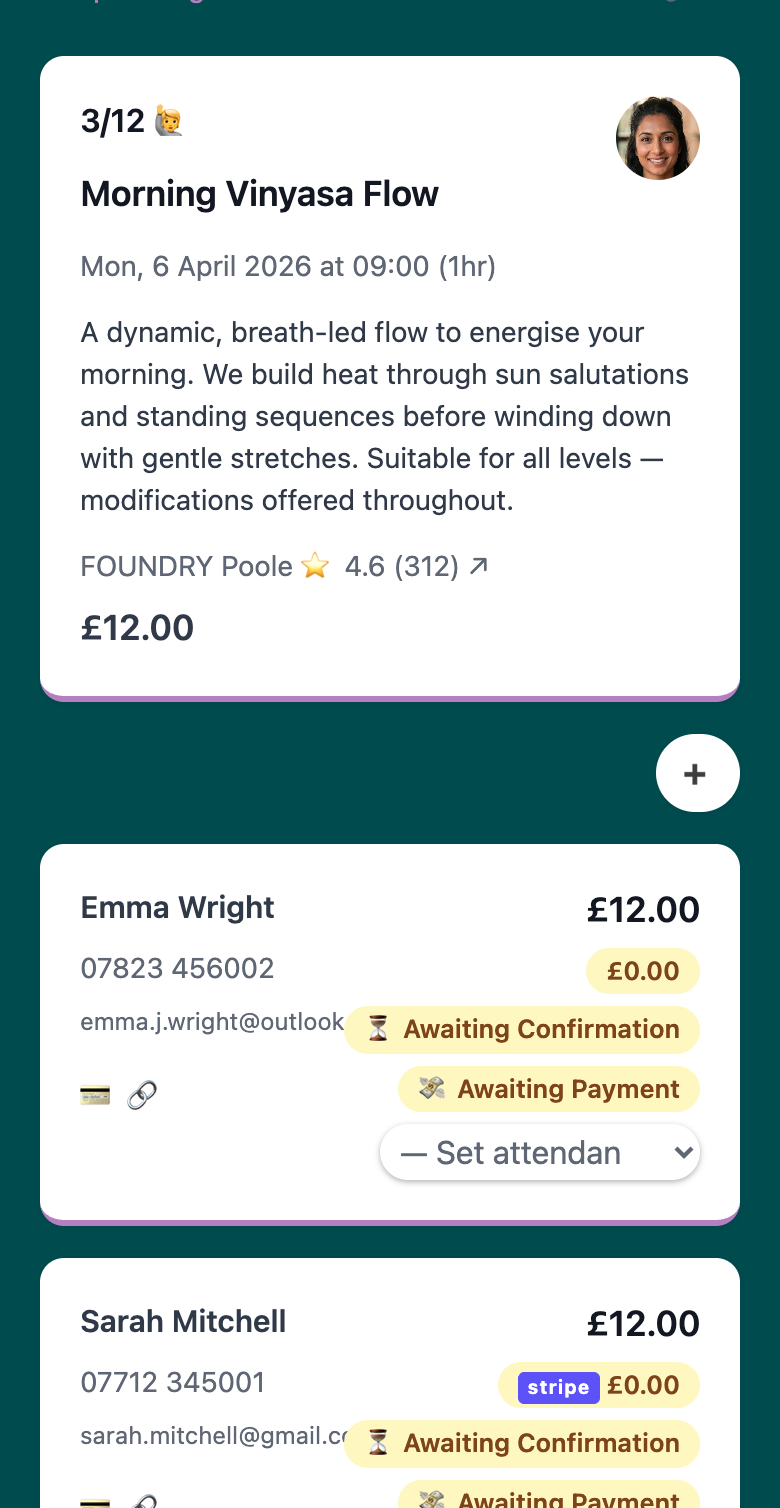
Attendance data builds into each client’s profile over time. Your client list becomes a picture of engagement across weeks and months — who’s showing up consistently, who’s starting to drift, who hasn’t been in a while. You can sort by attendance rate to surface the clients who are slipping before they actually leave, when you still have time to do something about it.
See how client management and booking work together →
What an Online Booking System Costs for Small Businesses
Most booking software charges a monthly subscription — £20 to £50+ depending on the plan, whether you’ve had a single booking that month or not.
🎉 Woven doesn’t work that way.
There’s no monthly fee. Woven charges a small per-transaction fee when your clients pay. That’s it. If you have a quiet month, you pay nothing. If you have your busiest month ever, Woven grows with you. The incentives are aligned — the more we help you fill your classes, the better we both do.
Tips for Getting the Most from Your Online Booking System
Share individual class links, not just your main page. Each class has its own URL. Drop it directly into a WhatsApp group before your next session — your clients land on that class, not on a page they have to scroll through. Better conversion, less friction.
Use draft mode as your safety net. Create the class, preview it, then publish. It takes ten seconds and means you’ll never accidentally put a session live with the wrong date, time, or price.
Set capacity slightly below your real maximum. If the room holds 15, open 13 spots. Sessions that fill up feel more in-demand. It also keeps a couple of slots free for regulars who tend to book late.
Edit prices before you send the payment link. If you offer concession rates, adjust the individual booking price first, then generate the link. Once a link is sent, a price change invalidates it immediately — get the number right before it goes out.
Record attendance reasons, not just outcomes. A client who was ill and messaged you in advance is different from a client who just didn’t show. The reason tracking is there because it tells you something the binary data doesn’t — and it changes how you follow up.
How your public page and booking work together →
Start taking bookings today — get started with Woven.